IMAGE TOOLTIPS TUTORIAL
Next, you need to provide the tooltip text that will display in a popup when users hover over each image.
How to Add Tooltip Text to Images
- From the Content Explorer, open the Attractions.htm topic.
- Right-click the image of the Texas State Capitol, and from the context menu select Image Properties.
-
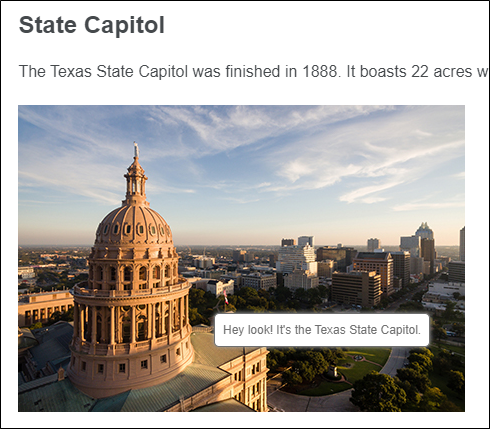
On the General tab, enter the following text into the Screen Tip field:
Hey look! It's the Texas State Capitol.
- Click OK.
- Do the same with the other two images, adding the following text:
- Zilker Park Add the text Check out the sunset!
- Lady Bird Lake Add the text Lady Bird Lake is a great place to jog. Just don't jog on the water.
- Click
 to save your work.
 - Build and view the All-About-Austin-HTML5 target.
-
In the output, open the Attractions topic, and hover over each of the images to see its popup text.