META TAGS TUTORIAL
A meta tag set isn't necessary in order to create and use meta tags in a Flare project. However, it's recommended, and helps you accomplish more. We're going to create a few meta tag sets, so that we can organize our various meta tags in different categories.
How to Create Meta Tag Sets
-
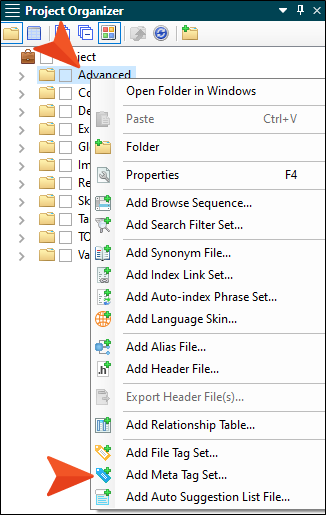
In the Project Organizer, right-click the Advanced folder and select Add Meta Tag Set.
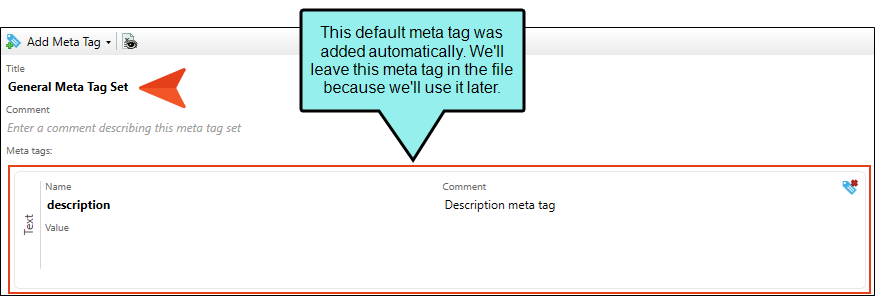
- In the File Name field, enter General and click Add. The Meta Tag Set Editor opens to the right with one meta tag (named "description") already added for you.
-
We could leave both the Title and Comment fields at the top empty, but let's give the meta tag set a title, which you will see again later when we work with meta tags on different files. In the Title field, enter General Meta Tag Set.
- We'll add a couple of meta tags to this set later. But for now just click
 to save your work.
 -
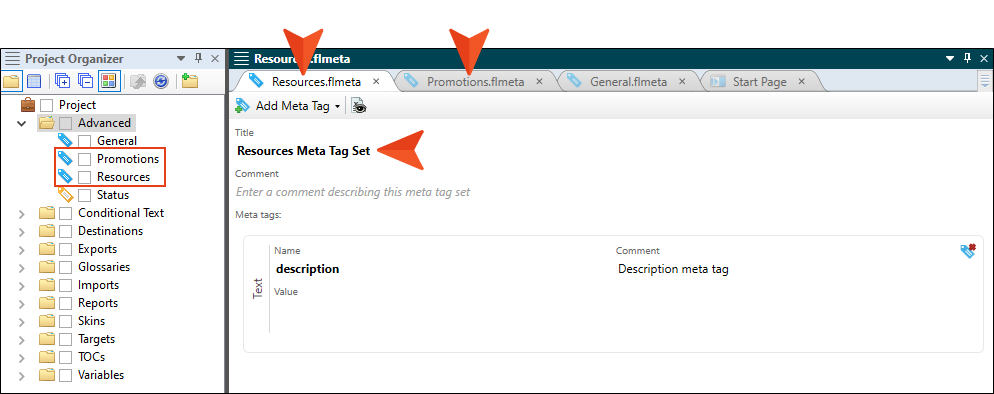
Repeat the steps above to create a second meta tag set named Promotions, and third set named Resources. Give the second meta tag set the name Promotions Meta Tag Set, and the third one Resources Meta Tag Set.