 Outputs Supported
Sometimes your output may display content that is entirely auto-generated, rather than pulling content from one of your topics. This occurs when search results are displayed. It also occurs if your output is integrated with MadCap Pulse and a user clicks the Edit User Profile button, which then displays information on the Pulse home page, with no topic content shown.
[Menu Proxy — Headings — Online — Depth3 ]
Style Classes
For HTML5 Side and Top Navigation (and skinless outputs), you can add the following classes of the html style to control the look of these generated pages:
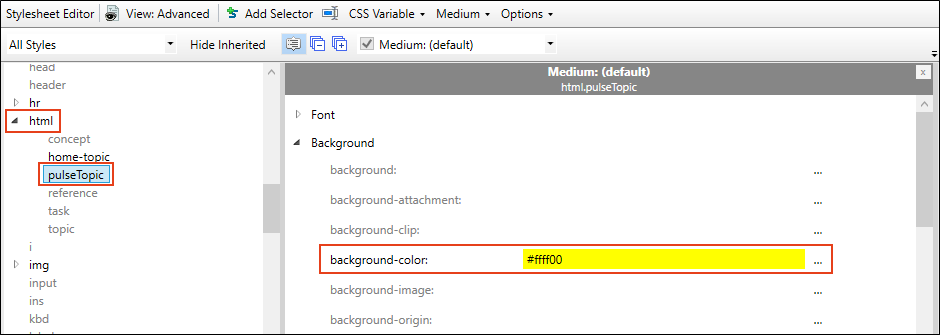
- pulseTopic This style class controls the look of a generated Pulse page (i.e., page opened via the Edit User Profile button).
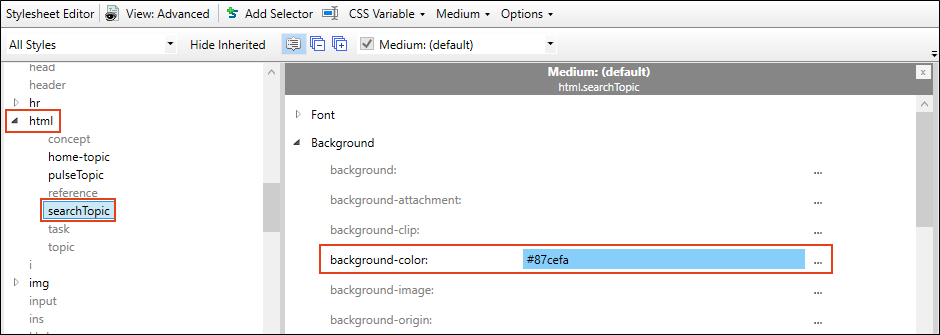
- searchTopic This style class controls the look of a generated search results page.
- templateTopic This style class controls the look of all generated pages and has precedence over the other the pulseTopic and searchTopic classes.
See Creating Selectors.
Example You want Pulse-generated pages to show a yellow background. So you add a class to html, name it pulseTopic, and set the background color to yellow.
On the page showing search results, you want the background color to be light blue. So you add a class to html, name it searchTopic, and set the background color to light blue.
When you view those pages in the output, the background colors are just as you specified.
But then let's say you add a class to html, name it templateTopic, and set the background color to light red.
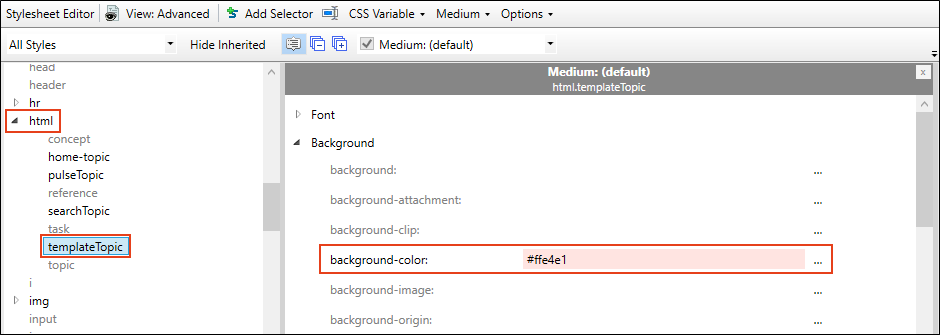
As a result, the yellow and blue background colors will be overridden. Both kinds of generated pages will display with a light red background.
Suggested Style Setting
If you include a side menu—via a Menu proxy—that is not context-sensitive, this menu may display on generated pages, not just in regular topics. This is probably something you want to avoid.
Therefore, to prevent this issue, you may want to copy the following to your stylesheet via the Internal Text Editor.
html.templateTopic div.sideContent
{
    display: none;
}
See Editing Styles in the Internal Text Editor and Internal Text Editor.
What’s Noteworthy?
Note These styles are supported only in HTML5 Side Navigation, Top Navigation, and skinless outputs. They are not supported in HTML5 Tripane output.


