Tracked Changes Options
In this release you now have the ability to build PDF or Word output where all tracked changes appear as accepted, allowing you to preview the output with those changes included.
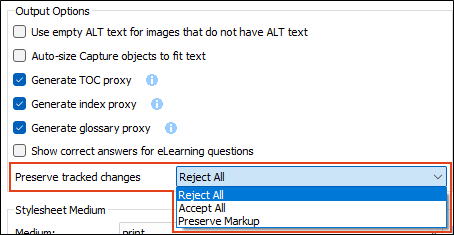
In the Target Editor for print output, the Preserve Tracked Changes option is now a drop-down featuring a few selections to control how tracked changes are handled in the output.
-
Reject All Output displays as if all tracked changes were rejected (or ignored) and do not exist.
-
Accept All Output displays as if all tracked changes were accepted. This affects only the output, not the source files.
-
Preserve Markup Output displays with tracked changes as they exist in the source files (i.e., red line changes).