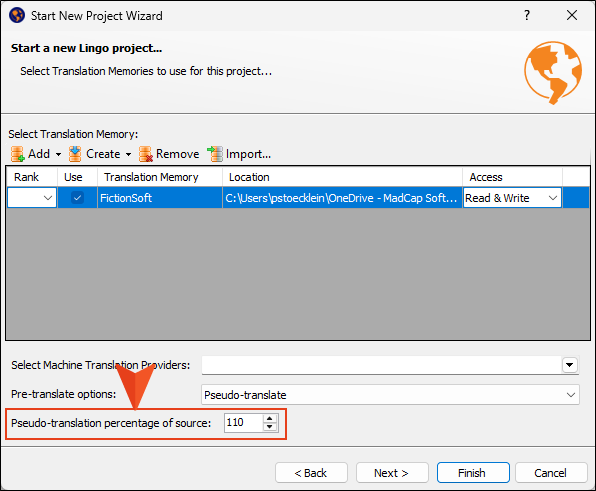
Lingo now allows you to use pseudo translation when creating a new project. When this feature is enabled, the new project is pre-translated using random characters while preserving the tag structure. This helps you visualize content placement and layout in the final translated output, as it allows control over how much larger or smaller the target segments will be compared with the source.
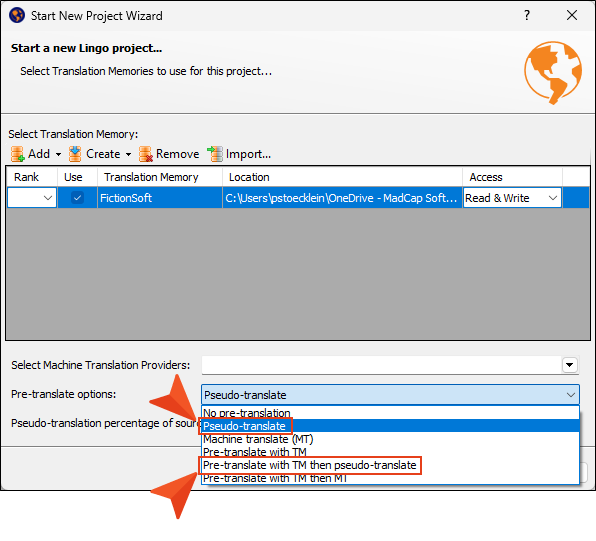
You can choose a simple pseudo-translate option, or you can an alternative option where the project is pre-translated with translation memory (TM) and then is pseudo-translated.
Another field indicates how much larger or smaller the pseudo-translated version will be compared with the original content. For example, in the following image, the pseudo-translated content will be 110% the size of the content in the source language (i.e., 10% larger). In most cases, translated projects tend to be 10% to 20% larger than the source. By adjusting this value and performing a pseudo-translation, you can get an idea of how certain structural features, such as page breaks, might affect the actual translation in the end.